Structured Data
I am a passionate and dedicated full-stack web and app developer with expertise in both front-end and back-end technologies. My journey in development has equipped me with a diverse skill set that allows me to build dynamic, user-friendly applications. I thrive on tackling new challenges and continuously seek opportunities to learn and grow in the fast-paced tech landscape. Whether it's optimizing performance, enhancing user experience, or implementing innovative solutions, I am committed to delivering high-quality work that meets the needs of users and businesses alike. Collaboration and communication are key to my approach, as I believe that teamwork fosters creativity and drives successful project outcomes. I am excited to contribute to projects that push the boundaries of technology and to be part of a community that values innovation and excellence.
You've probably wondered how designs for hotels, recipes, and events appear when you search on Google, right? The answer is Structured Data (there are two other ways too, but since the topic is structured data, I’ll stick with this one). It helps create search results that are more engaging for users and might encourage them to interact more with your website. These enhanced results are called rich results.
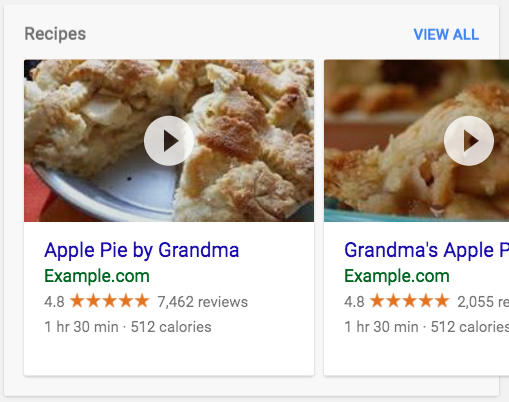
So, let’s begin from scratch understanding what is Structured Data, how it is written, what’s the schema, how to integrate with react, what are the tools etc.
What is Structured Data?
Structured data is a standardized format for providing information about a page and classifying its content. It helps search engines understand what the page is about.
Google Search supports three formats for displaying structured data, with JSON-LD being the most commonly used. I will focus on JSON-LD, but for your information, I will briefly mention the other formats as well:
| JSON-LD | JSON-LD (JavaScript Object Notation for Linked Data) is a lightweight, easy-to-use format for structuring linked data within web content. It uses standard JSON syntax to express metadata and relationships between data entities, making it ideal for enhancing search engine optimization (SEO) and enabling machine-readable data. |
| MicroData | An open-community HTML specification designed to embed structured data within HTML content. Similar to RDFa, it leverages HTML tag attributes to define and reveal properties as structured data. While commonly applied within the <body> element, it can also be implemented in the <head> section. |
| RDFa | RDFa (Resource Description Framework in Attributes) is a specification that adds metadata and structured data to web content using HTML attributes, allowing data to be machine-readable while still being displayed for humans. It enables the embedding of rich semantic information within web pages for better interoperability and search engine understanding. |
Syntax
The Syntax of Structured Data is very similar to the HTML, all we have to do is to put the
<script>tag inside the head with typetype="application/ld+json", this will help the Google Bots to pick it up and show as a rich result.Here are the various types of structured data and depending upon the type the fields will vary:
Creative Works: Includes types such as CreativeWork, Book, Movie, MusicRecording, Recipe, and TVSeries.
Embedded Non-Text Objects: Comprises AudioObject, ImageObject, and VideoObject.
Event: Represents scheduled occurrences or activities.
Health and Medical Types: Encompasses types under MedicalEntity related to health and wellness.
Organization: Refers to entities like businesses, institutions, or groups.
Person: Represents individual people.
Place: Covers geographic locations, including local businesses and Restaurant.
Product: Includes types such as Offer and AggregateOffer for commercial goods.
Review: Represents evaluations or critiques of products or services, along with AggregateRating for summarizing ratings.
Action: Refers to activities or interactions that can occur within a context.
The example of Event Structured Data:
<!DOCTYPE html>
<html lang="en">
<head>
    <meta charset="UTF-8">
    <meta name="viewport" content="width=device-width, initial-scale=1.0">
    <title>Music Concert</title>
    <script type="application/ld+json">
    {
      "@context": "https://schema.org",
      "@type": "Event",
      "name": "Live Music Concert",
      "startDate": "2024-10-15T20:00:00",
      "endDate": "2024-10-15T23:00:00",
      "location": {
        "@type": "Place",
        "name": "City Arena",
        "address": {
          "@type": "PostalAddress",
          "streetAddress": "123 Music Ave",
          "addressLocality": "Music City",
          "postalCode": "12345",
          "addressCountry": "US"
        }
      },
      "image": "https://example.com/images/concert.jpg",
      "description": "Join us for a night of live music featuring top artists.",
      "offers": {
        "@type": "Offer",
        "url": "https://example.com/tickets",
        "price": "30.00",
        "priceCurrency": "USD",
        "availability": "https://schema.org/InStock"
      }
    }
    </script>
</head>
<body>
    <h1>Live Music Concert</h1>
    <p>Date: October 15, 2024</p>
    <p>Time: 8:00 PM - 11:00 PM</p>
    <p>Location: City Arena, 123 Music Ave, Music City, 12345, US</p>
    <p>Description: Join us for a night of live music featuring top artists.</p>
    <p>Tickets: <a href="https://example.com/tickets">Buy Here</a> - Price: $30.00</p>
</body>
</html>
Now, the basic question that comes to mind is how to know which fields will be present for which structured data. To answer that, I suggest visiting the documentation of Schema.org: https://schema.org/docs/schemas.html. This will help a lot. As developers, we don't memorize everything; we learn and understand the concepts. By practicing regularly, we automatically learn. So, to start, follow the documentation.
Structured Data with React
In a React application, we typically add scripts to the <head> section via the index.html file located in the public folder. While this approach works well for static content, dynamic data that varies across different pages requires a more flexible solution. Here are two effective methods to achieve this:
Using the
react-helmet-asyncLibrary: This library allows you to manage the document head dynamically within your React components. By usingreact-helmet-async, you can easily set different metadata, such as title, description, and scripts, based on the current route or component state. This is particularly useful for applications with multiple pages that require unique SEO optimizations or specific scripts. Here’s a brief example:import React from 'react'; import { Helmet, HelmetProvider } from 'react-helmet-async'; const EventPage = () => { return ( <HelmetProvider> <div> <Helmet> <title>Live Music Concert</title> <meta name="description" content="Join us for a night of live music featuring top artists." /> <script type="application/ld+json"> {JSON.stringify({ "@context": "https://schema.org", "@type": "Event", "name": "Live Music Concert", "startDate": "2024-10-15T20:00:00", "endDate": "2024-10-15T23:00:00", "location": { "@type": "Place", "name": "City Arena", "address": { "@type": "PostalAddress", "streetAddress": "123 Music Ave", "addressLocality": "Music City", "postalCode": "12345", "addressCountry": "US" } }, "image": "https://example.com/images/concert.jpg", "description": "Join us for a night of live music featuring top artists.", "offers": { "@type": "Offer", "url": "https://example.com/tickets", "price": "30.00", "priceCurrency": "USD", "availability": "https://schema.org/InStock" } })} </script> </Helmet> <h1>Live Music Concert</h1> <p>Date: October 15, 2024</p> <p>Time: 8:00 PM - 11:00 PM</p> <p>Location: City Arena, 123 Music Ave, Music City</p> <p>Price: $30.00</p> <a href="https://example.com/tickets">Buy Tickets</a> </div> </HelmetProvider> ); }; export default EventPage;Using Server-Side Rendering (SSR): Server-Side Rendering is another powerful method to handle dynamic data for different pages. With SSR, the HTML content is generated on the server for each request and sent to the client, allowing you to include dynamic metadata, scripts, and content based on the requested page. Frameworks like Next.js provide built-in support for SSR, making it easier to render pages with dynamic data while improving SEO and performance. Here's how it works conceptually:
The server processes the request, fetches the required data, and renders the page with the appropriate metadata and scripts.
The fully rendered HTML is sent to the client, ensuring that search engines can index the content effectively.
By implementing either react-helmet-async or SSR, you can create a more dynamic and responsive React application that delivers tailored content for each page while enhancing user experience and search engine optimization.
Testing
Now , we know what is structured data , what is syntax , what is it’s type, how to integrate with html and with react along dynamic data, but how we test our data, to do that follow these steps:
1. Go to the page where you put the structured data , inspect the page, go to the elements , there in head check whether the script tag is show up or not, if yes then it will look like this:

2. Copy the element of script or pick up the URL if it is deployed and go to the Rich Result Test for testing: https://search.google.com/test/rich-results
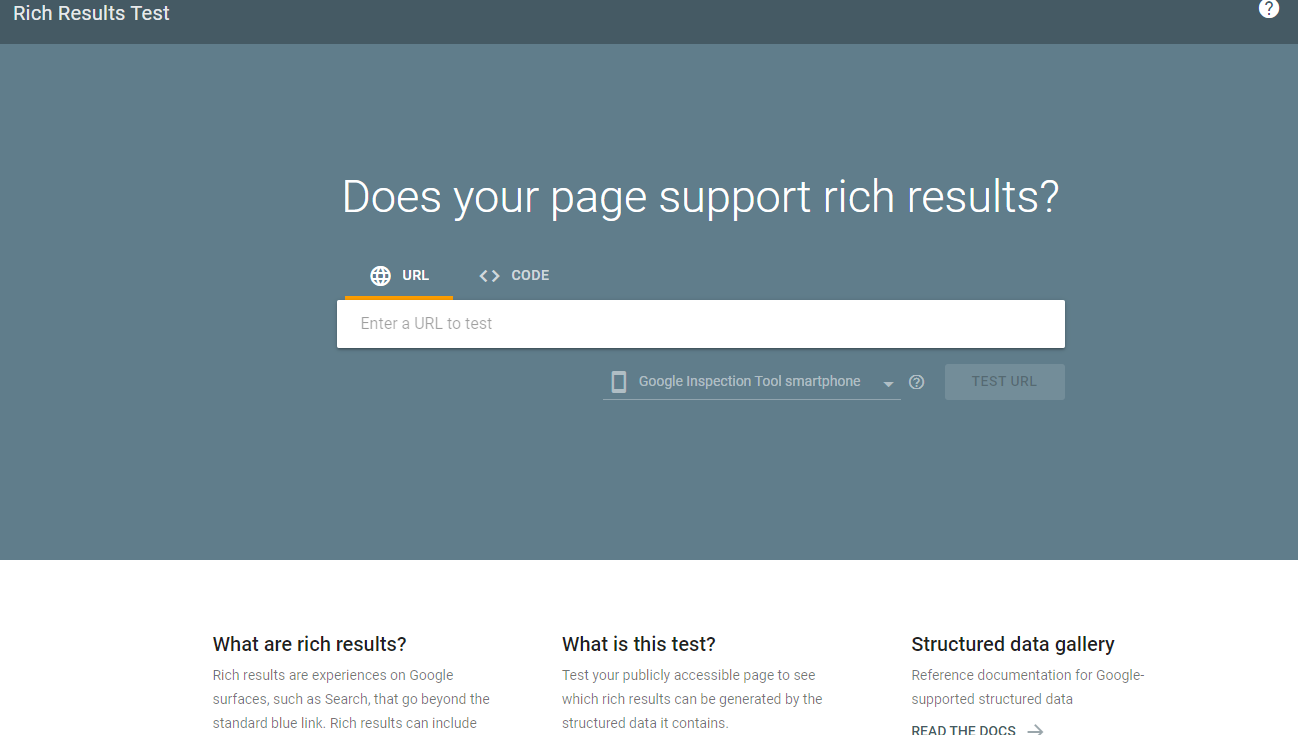
Here paste your Code or URL, and Test it, If it reverts with a response then your integration works perfectly otherwise, you have to debug and figure out the issue.
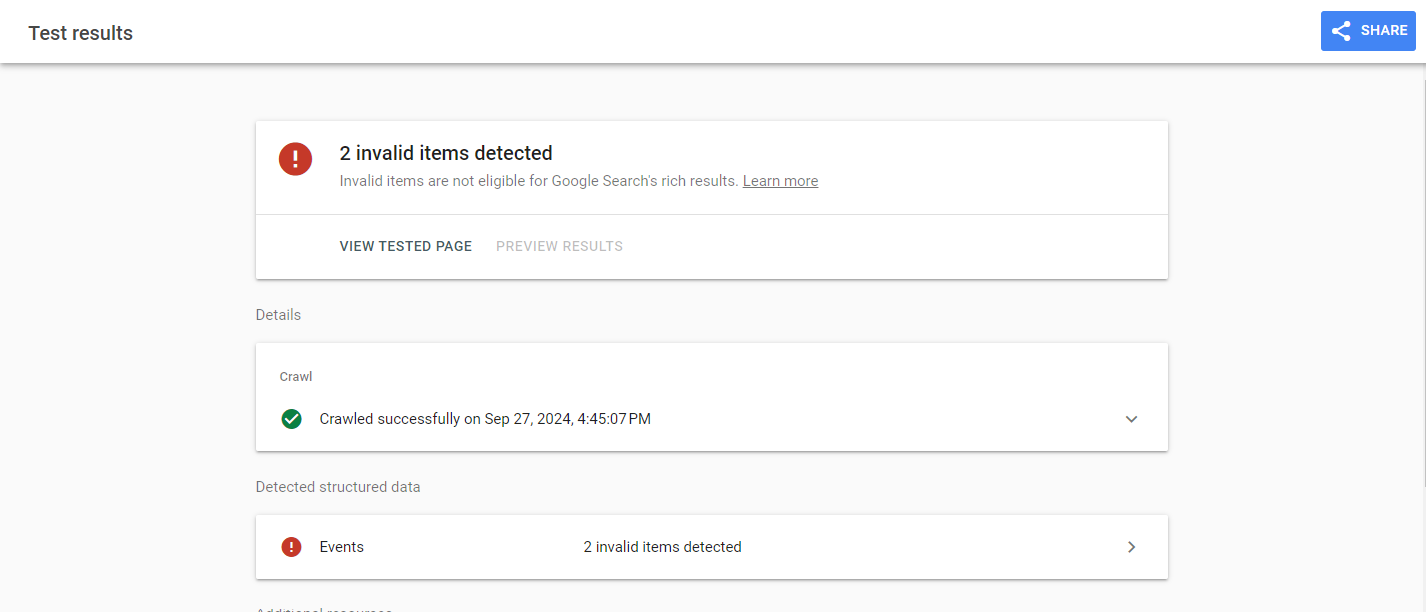
This will also tell you which fields are missing that are required and what are empty etc.
References
For further exploration and a deeper understanding of structured data, I recommend the following resources:
Google's Introduction to Structured Data: This guide provides a comprehensive overview of structured data and its importance in improving search engine visibility.
Schema.org Documentation: The official Schema.org documentation offers detailed information on various structured data types and their usage.
Rich Results Test Tool: Use this tool to validate your structured data and see how it appears in search results.
These resources will help you dive deeper into the topic and enhance your understanding of implementing structured data effectively.
Thanks For Coming This Far, If you liked the content do lemme know & do not forget to follow me! 😁